Private by default
The app has no backend and no analytics. Your invoice data is stored in your browser and is never sent to a server.
A single-file invoice and quote generator that runs entirely in your browser. No account, no subscription — and your client data never leaves your device.
No sign-up · A4 & Letter · Print or save as PDF · Works offline once saved
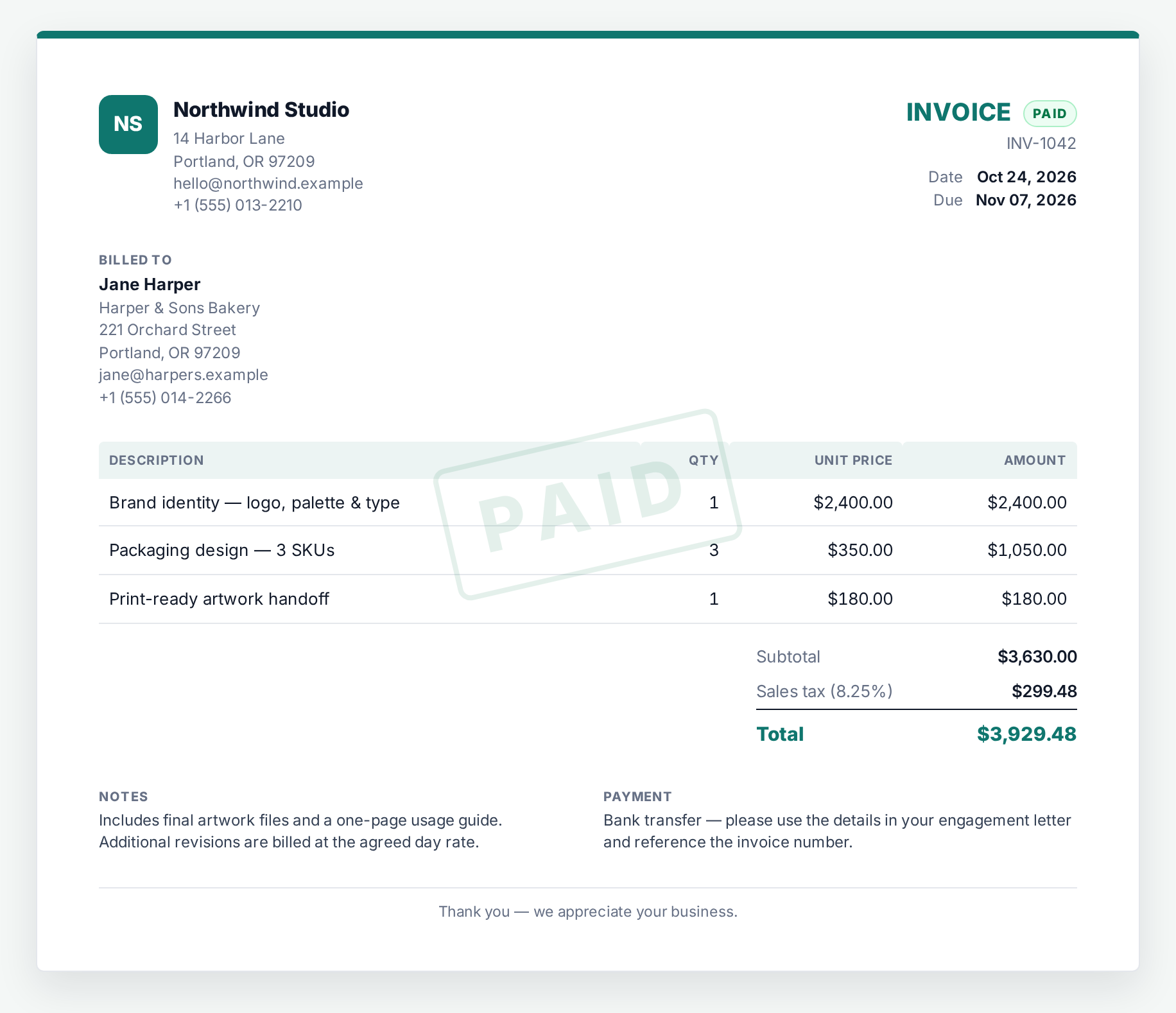
The whole toolkit
InvoiceHarbor stays deliberately small: a focused editor, a clean document, and your data kept on your machine.
The app has no backend and no analytics. Your invoice data is stored in your browser and is never sent to a server.
Turn an accepted quote into an invoice in one click. Mark it paid and see outstanding totals at a glance.
Every client you enter becomes available on the next document. Repeat work takes seconds, not re-typing.
Upload a logo, pick an accent color, choose a document style and set your currency, tax label and rates.
A clean A4 or US Letter layout, with a print stylesheet that removes the interface. Save as PDF from your browser.
Download a complete JSON backup, restore it on another machine, and wipe all data with one clear action.
Three steps
No onboarding, no sync, no setup wizard. Fill in what you need, then print.
Double-click the HTML file, or host it on any static server. There is no install and no build step.
Set your business once. Add a client, line items, discount and tax. Reuse a client from an earlier document if you like.
Print to A4 or Letter, or save as PDF from the browser dialog. Your data stays exactly where it was.
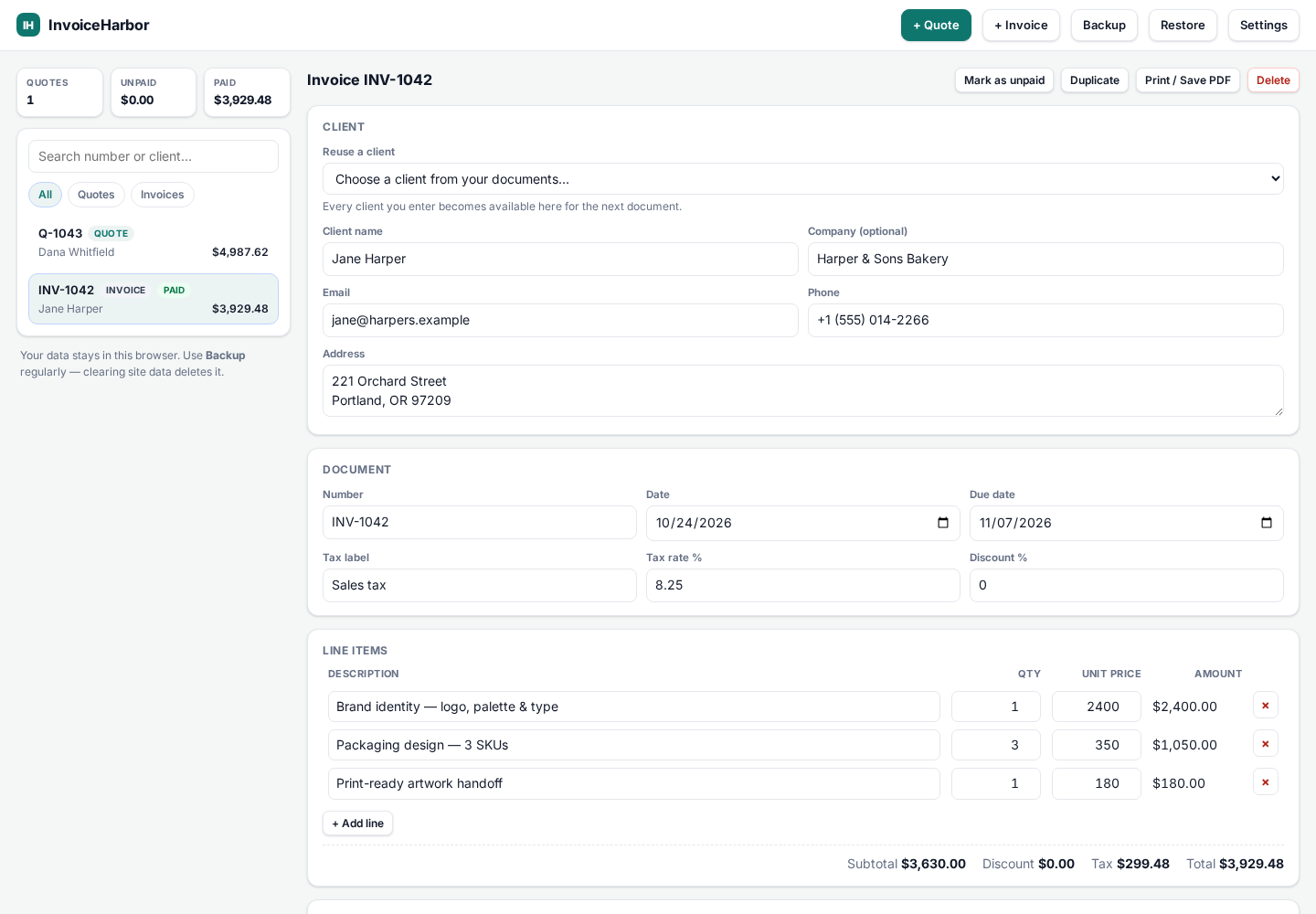
For developers & agencies
InvoiceHarbor is plain HTML, CSS and JavaScript in a single self-contained file. Host it, fork it, or make it your own.
The source is available now as a one-time direct license. See pricing or email for a Wise payment request.
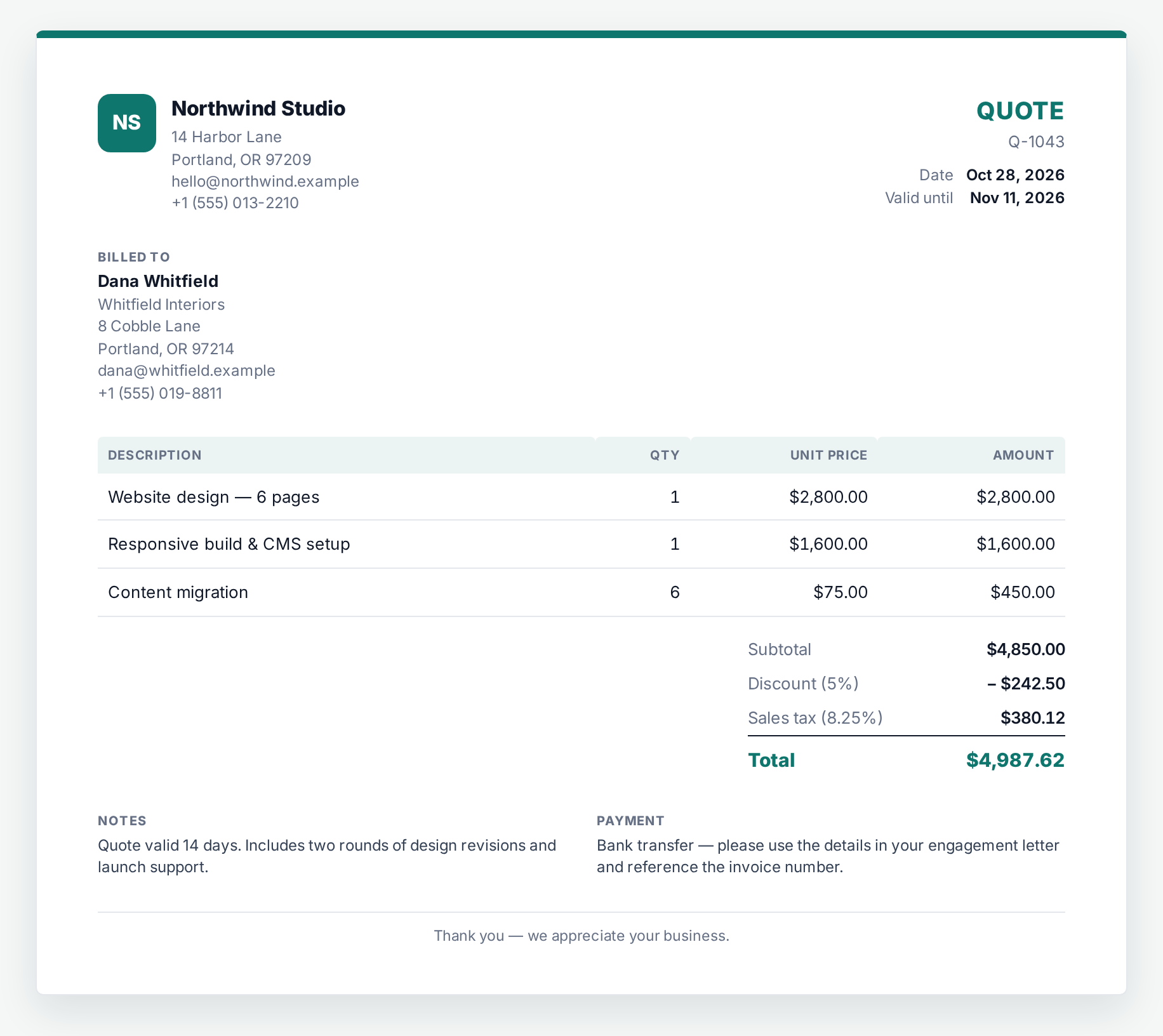
A closer look
Three document styles, any accent color, and a layout that holds up on paper and on a phone.

Free invoice templates
Printable invoice templates for plumbers, electricians, HVAC, cleaning, handyman and contractor businesses. Free, no sign-up, and ready to print or fill in online.
Call-outs, parts, labour and warranty terms.
Fault-finding, materials and certification notes.
Service calls, tune-ups, filters and refrigerant.
Deep cleans, recurring visits and supplies.
Small jobs, materials and half-day labour.
Labour, materials, site prep and disposal.
Simple pricing
No subscription. The demo is free; direct source licenses are one-time and paid by Wise or bank transfer.
Explore the complete app with sample data.
The complete single-file app and documentation.
After payment, email your Wise reference to khshvmas92@gmail.com; we send the ZIP and documentation.
White-label the app for your client projects.
Read the agency one-pager (PDF) · After payment, email your Wise reference for the agency ZIP and license.
Direct purchases: choose a license and pay with Wise. After payment, email your Wise reference to khshvmas92@gmail.com; we send the ZIP, documentation and license by email. Prices are in USD.
Questions
No. The app has no backend and makes no network requests for your invoice data. Documents, clients and settings live in your browser's local storage. You can verify this in your browser's network panel.
Yes. The app is a single HTML file. Once you have the file, it opens and works without an internet connection. The hosted demo needs a connection to load the page initially.
Click Print / Save PDF, then choose Save as PDF in your browser's print dialog. The print layout supports A4 and US Letter and removes the editor interface.
Yes. Upload a PNG, JPG or WebP logo (under 400 KB), set your currency in Settings, and set a tax label and rate on each document. Tax rates are entered manually — InvoiceHarbor does not determine your tax obligations.
Yes. The source is plain, commented HTML, CSS and JavaScript. Choose the Classic, Modern or Minimal style and any accent color in Settings, or edit the source directly.
No. InvoiceHarbor creates documents. It does not file taxes, reconcile accounts or provide legal, tax or accounting advice. You are responsible for meeting the invoice requirements that apply to you.
Direct purchases include the written documentation and email support for installation and defects. Agency licenses include 3 months of support. Custom development is not included.
Open the demo, edit the sample invoice, and print it. No sign-up and nothing to install.